Workflow Designed for Developers
Forget complex FTP transfers, server configurations and database lockups. Push your code via git and go live in seconds.
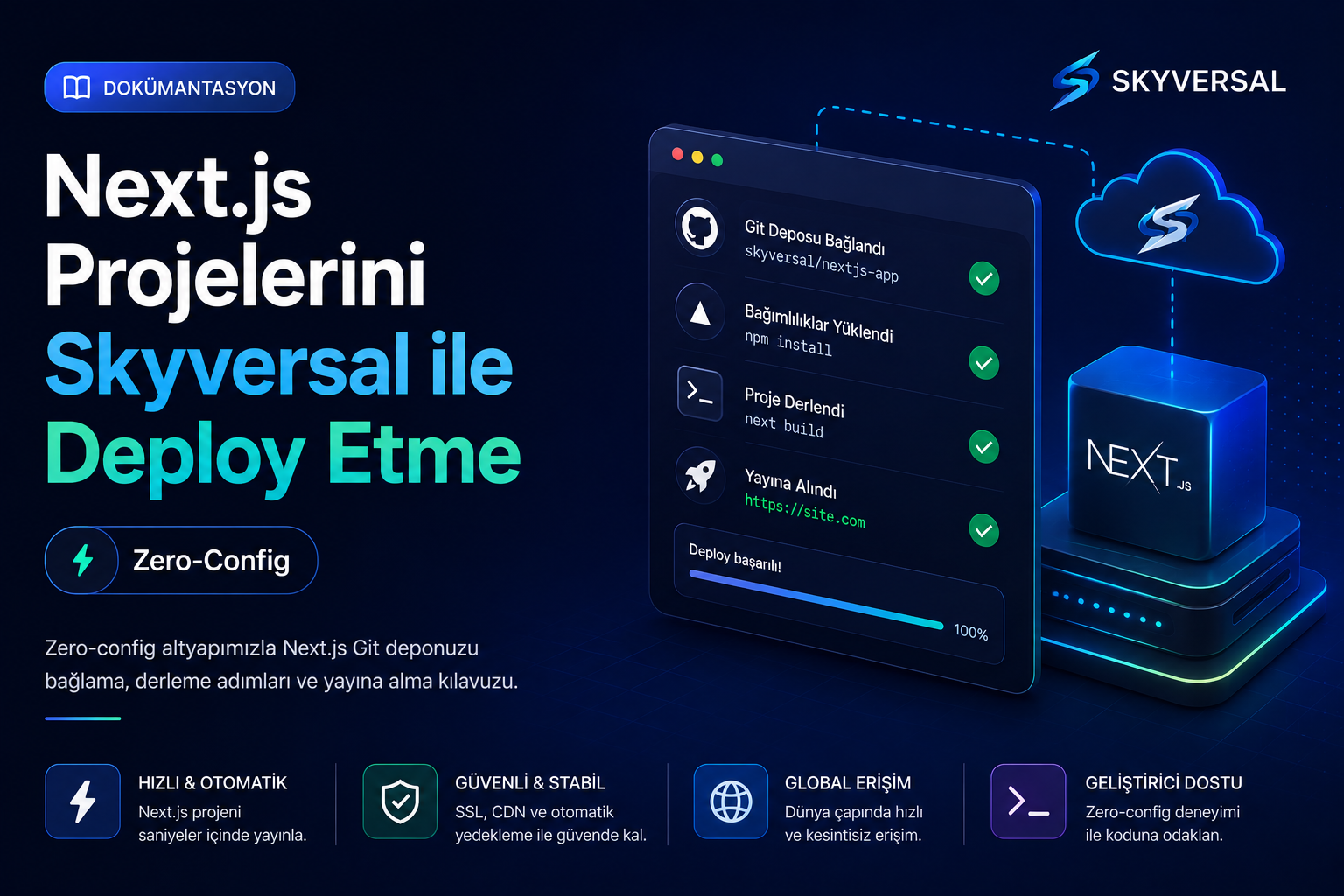
Connect Your Repository
Define the Skyversal Git remote address in your existing Next.js project terminal. Takes just a few seconds.
Push with One Command
Prepare your code and push to Skyversal servers via git. Our pipeline system automatically starts the deploy process.
Automatic Build & CDN
Dependencies are installed, pages are compiled with next build, static assets are synced to CDN edge servers and SSR comes up.
skyversal deployNext.js Container Plans
Fully isolated processor and memory resources for each project. Scale without surprise costs or CPU overages.
- ✓1 Containers (PaaS Quota)
- ✓0.50 vCPU / 1 GB RAM (PaaS Slice)
- ✓5 GB NVMe SSD
- ✓GitHub / Bitbucket / GitLab Auto Push
- ✓1 Free Subdomain
- ✓Community Support
- ✓1 Containers (PaaS Quota)
- ✓1 vCPU / 1 GB RAM (PaaS Slice)
- ✓5 GB NVMe SSD
- ✓GitHub / Bitbucket / GitLab Auto Push
- ✓1 Free Subdomain
- ✓Community Support
- ✓3 Containers (PaaS Quota)
- ✓2 vCPU / 3 GB RAM (PaaS Slice)
- ✓10 GB NVMe SSD
- ✓GitHub / Bitbucket / GitLab Auto Push
- ✓1 Free Subdomain
- ✓Email Support
- ✓10 Containers (PaaS Quota)
- ✓4 vCPU / 8 GB RAM (PaaS Slice)
- ✓15 GB NVMe SSD
- ✓GitHub / Bitbucket / GitLab Auto Push
- ✓1 Free Subdomain
- ✓Email Support
- ✓Priority Build
Custom For You
Contact us and let us build a custom cloud infrastructure tailored to your project needs.
- ✓Custom resource limits (CPU, RAM)
- ✓Priority support & SLA guarantee
- ✓Full configuration to your needs
Sleep well at night with Skyversal: Your project is never suspended on shared servers or shut down due to CPU overages. Our 24/7 expert team and Next.js/SaaS-focused consulting keep your infrastructure fully secure.
Why Does Shared Hosting Limit Next.js?
Why choose container-based PaaS architecture over standard cPanel-based hosting services? Compare.
| Infrastructure Parameter | Classic Shared Hosting | Skyversal Next.js PaaS |
|---|---|---|
| Runtime & Performance | ||
| Next.js Server-Side Rendering (SSR) | Not supported (Node.js runtime cannot run continuously in the background) | ✓ Built-in Node.js Container (Always-on dynamic SSR processes) |
| Incremental Static Regeneration (ISR) | Not supported (Dynamic page regeneration on page disk cannot be triggered) | ✓ Zero-Latency ISR (Fully compatible ISR cache with container disk and Redis) |
| Image Optimization (next/image) | Very Slow (Errors due to CPU limits and missing sharp libraries) | ✓ Optimized CPU (Built-in sharp library and isolated CPU cores) |
| Deployment & Management Freedom | ||
| Automatic next build & Sync | Not supported (You must build locally and upload the huge .next folder) | ✓ Automatic Pipeline (npm install and next build run on the server) |
| SSH Terminal & CLI Access | Limited or Forbidden (Node.js/npm terminal commands cannot be run) | ✓ Full Access (Isolated container terminal and SSH) |
| Redis Cache & In-Memory Acceleration | None or Paid (File cache is slow) | ✓ Free (Built-in Redis support on all plans) |
| Security & Hardware | ||
| Noisy Neighbor (Performance Theft) | High Risk (Other sites on the same server slow down your SSR requests) | ✓ No Risk (Every Next.js project runs in its own isolated container) |
| Node.js Version Switching | Limited to cPanel selection (Version updates are delayed) | ✓ Switch via skyversal.json (Pick Node.js 18, 20 or 22 within seconds) |
Built-in Redis and Page Caching
Next.js needs in-memory data stores for ISR (Incremental Static Regeneration) and SSR. Our Redis support comes built-in on all plans.
- Zero-latency dynamic page caching (ISR Cache)
- High I/O read/write performance with fast NVMe SSD disks
- Full integration with Next.js fetch cache and data cache
Automatic next build Workflow
Focus only on your code. When you push via Git, our pipeline servers install npm dependencies and run next build to compile client/server pages.
- npm or yarn dependencies installed automatically on the server
- SSR/SSG pages built automatically on the server with next build
- Zero-downtime deploy so your users never notice an interruption
Built-in sharp Image Compression
Next.js image optimization (next/image) is a CPU-intensive operation. 'sharp' comes pre-installed in our containers.
- Ultra-fast server-side image transformation (sharp)
- Automatic image compression in WebP/AVIF formats
- Cache images globally with our edge CDN network








Next.js Hosting FAQ
Developer questions about SSR performance, image optimization, caching, CI/CD steps and infrastructure limits.
Next.js Hosting is a PaaS service that provides the Node.js runtime environment, server-side rendering (SSR) computation and static site generation (SSG) mechanisms that Next.js projects require, integrated with a global CDN.
Unlike classic shared hosting, it supports always-running Node.js processes in the background (next start) and you never hit restrictive PHP execution limits.
Yes. The build pipeline triggered by your git push automatically runs npm run build (or yarn build) to render your Next.js pages server-side. You do not need to build on your local machine and add the large .next folder to your git repository.
Next.js image optimization can be CPU-intensive. Our container images include the 'sharp' library built-in, optimized for image compression steps. Also, thanks to your isolated CPU core limits, your images are instantly converted to WebP or AVIF without slowing down other sites.
The Incremental Static Regeneration (ISR) feature offered by Next.js works with zero extra configuration on Skyversal. Your dynamic pages are regenerated in the background at the interval you specify on the container disk (high-speed NVMe SSD) and served to visitors at static speed with no waiting time.
Yes. If you want to host a fully static site instead of SSR, you can set output: 'export' in your next.config.js. Our system automatically distributes the compiled static HTML/CSS/JS output across our global Edge CDN network, freeing your web server from unnecessary SSR load.
SSR requests perform dynamic processing on the server for every incoming request. Skyversal PaaS allocates dedicated CPU and RAM resources in each container for Next.js SSR limits. During traffic spikes, CPU overage protection kicks in to prevent the server from clogging and delivers a stable response time.
Yes. Since your application boots as a fully dynamic Node.js server, all backend endpoints under /pages/api or /app/api, your database connections and server-side logic run at full performance.
You should not add your .env.local file containing critical API keys to your git repository. Instead, you can add them as key-value pairs in the Environment Variables section of the Skyversal panel. These variables will be safely injected into your Next.js application during build and runtime.
Yes. By default, Next.js aborts the build on TypeScript errors. When our build pipeline server encounters an error, it stops the deploy process and keeps your previously working container live, preventing your site from crashing. You can inspect error logs instantly from the panel or via SSH.
By updating the engines.node field in the package.json file at the root of your project (e.g. ">=20.0.0" or "20.x"), you can determine within seconds which Node.js version our platform will build and run your project with.
Move Your Next.js Project to the Cloud Today
Start deploying with advanced container architecture and git-push simplicity.
Questions? Write to us →